At times, you may want to remove a clip from your project—whether it’s a mistake, an unnecessary section, or simply something you no longer need.
There are two ways to delete a clip in Clueso:
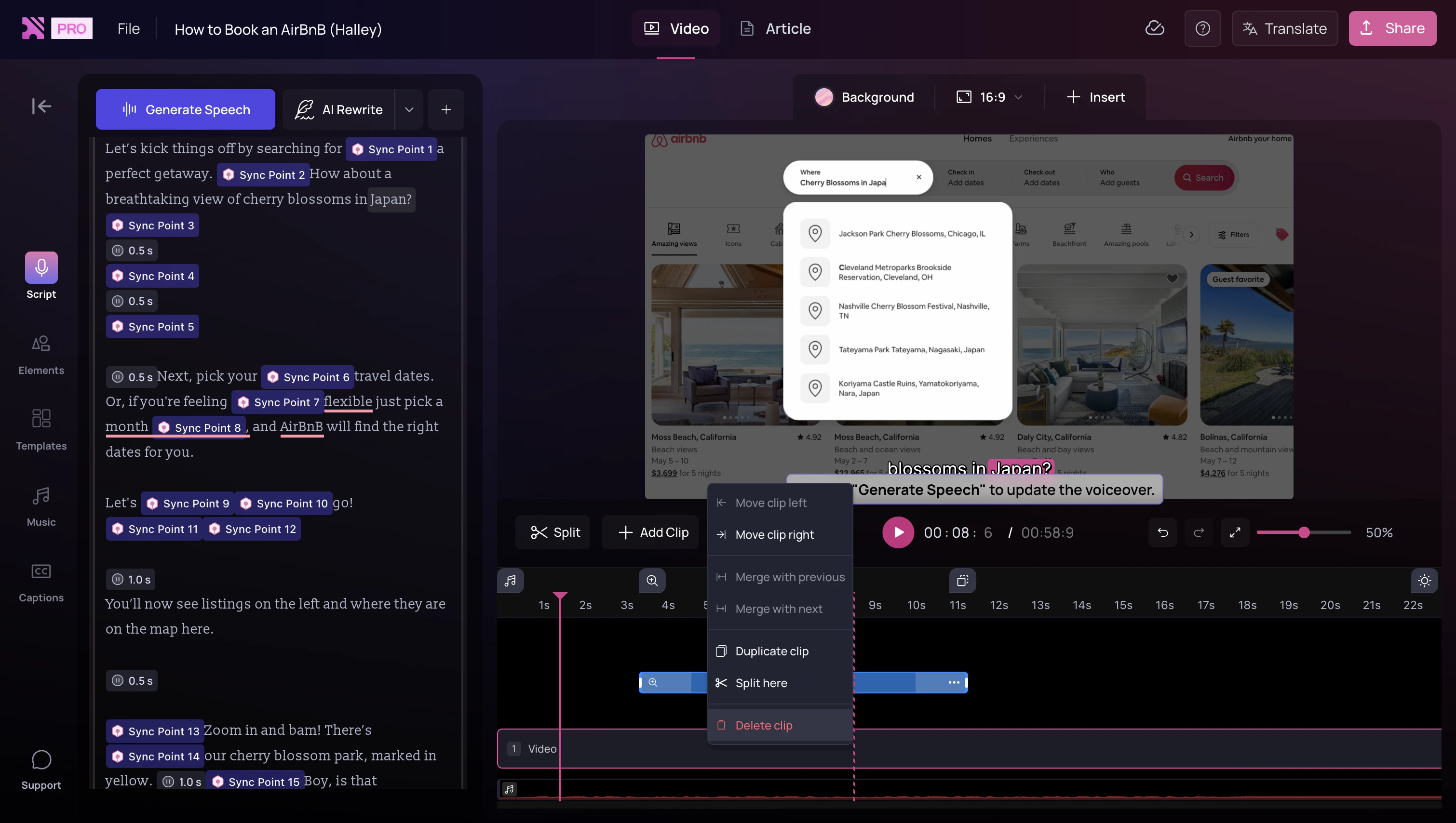
Delete from the timeline
- Right-click on the clip in your timeline.
- Select Delete Clip.
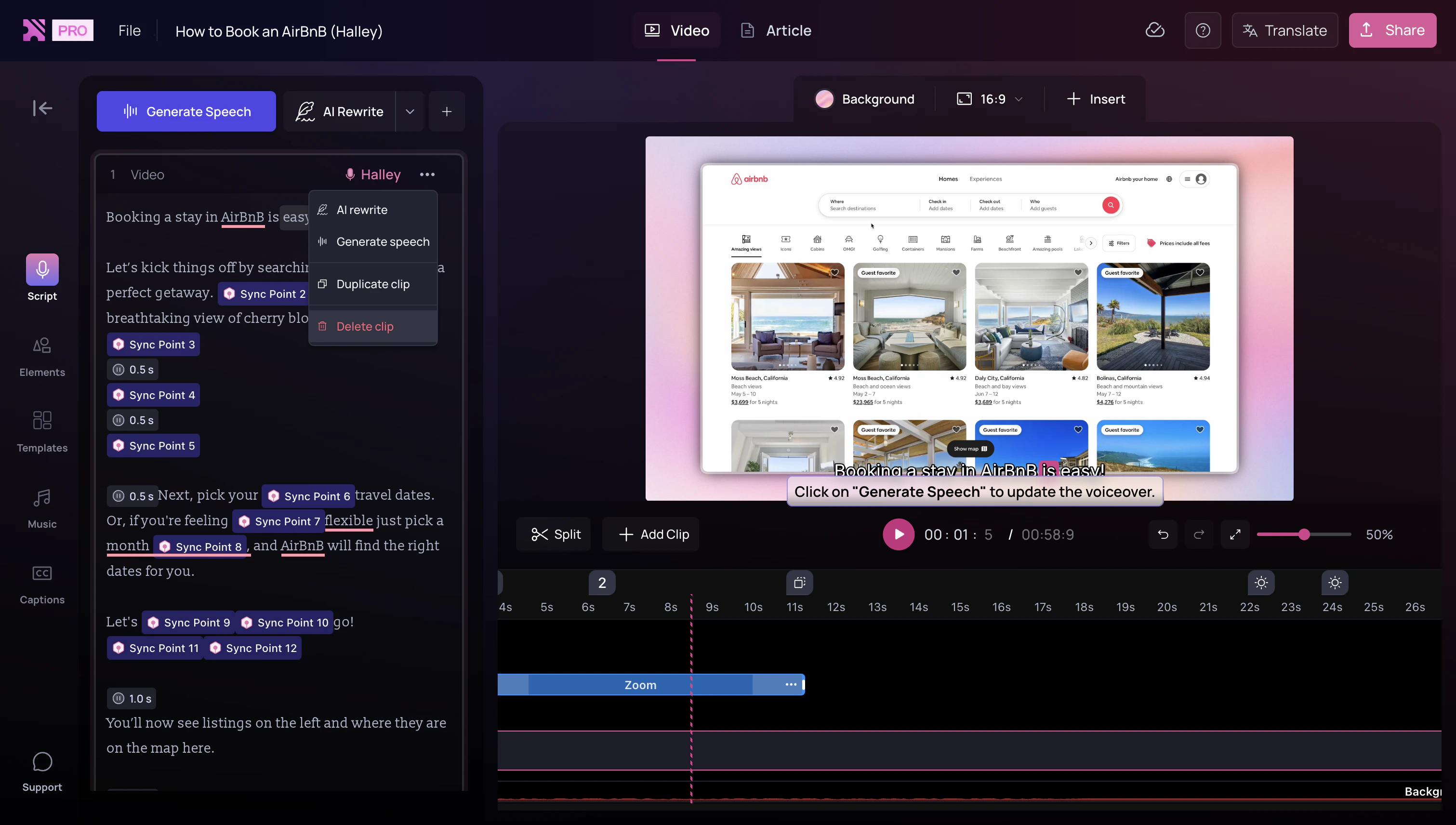
Delete from the script panel
- In the left-hand script panel, click the three-dot menu on the clip.
- Select Delete Clip.
Note: When you delete a clip, its script will also be removed. If you’d
like to keep the script, copy it before deleting and paste it into the
preceding or following clip.

