

Adding Comments
1
Open the Comments panel
Click on the Comments icon in the left-side toolbar to open the Comments panel. The editor enters Comment mode, which locks the timeline and transcript so you can focus on giving feedback.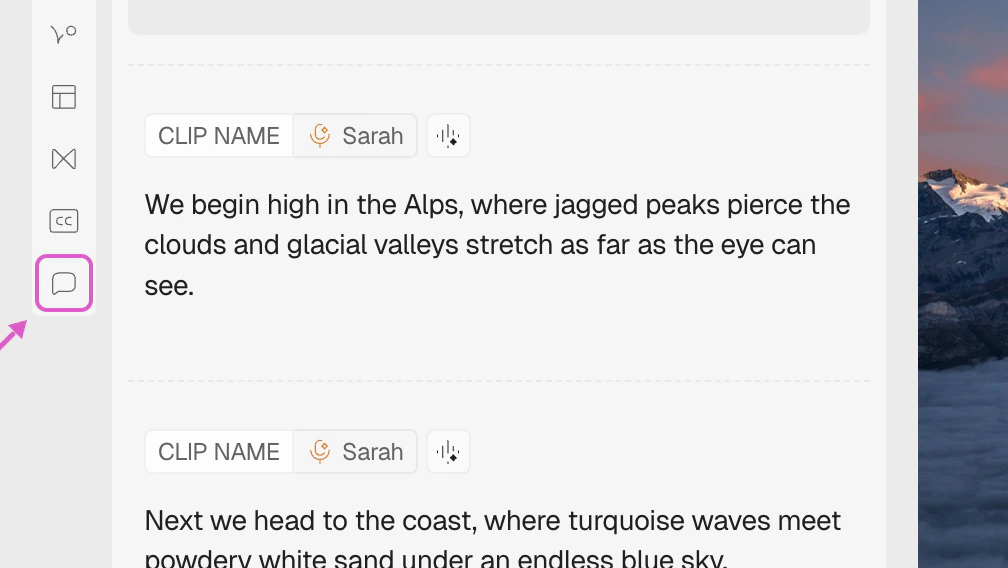
2
Type your comment
Pause the video at the exact moment where feedback is needed, type your comment in the input at the bottom of the panel, and press Send (or hit Enter). The comment will automatically attach to that timestamp.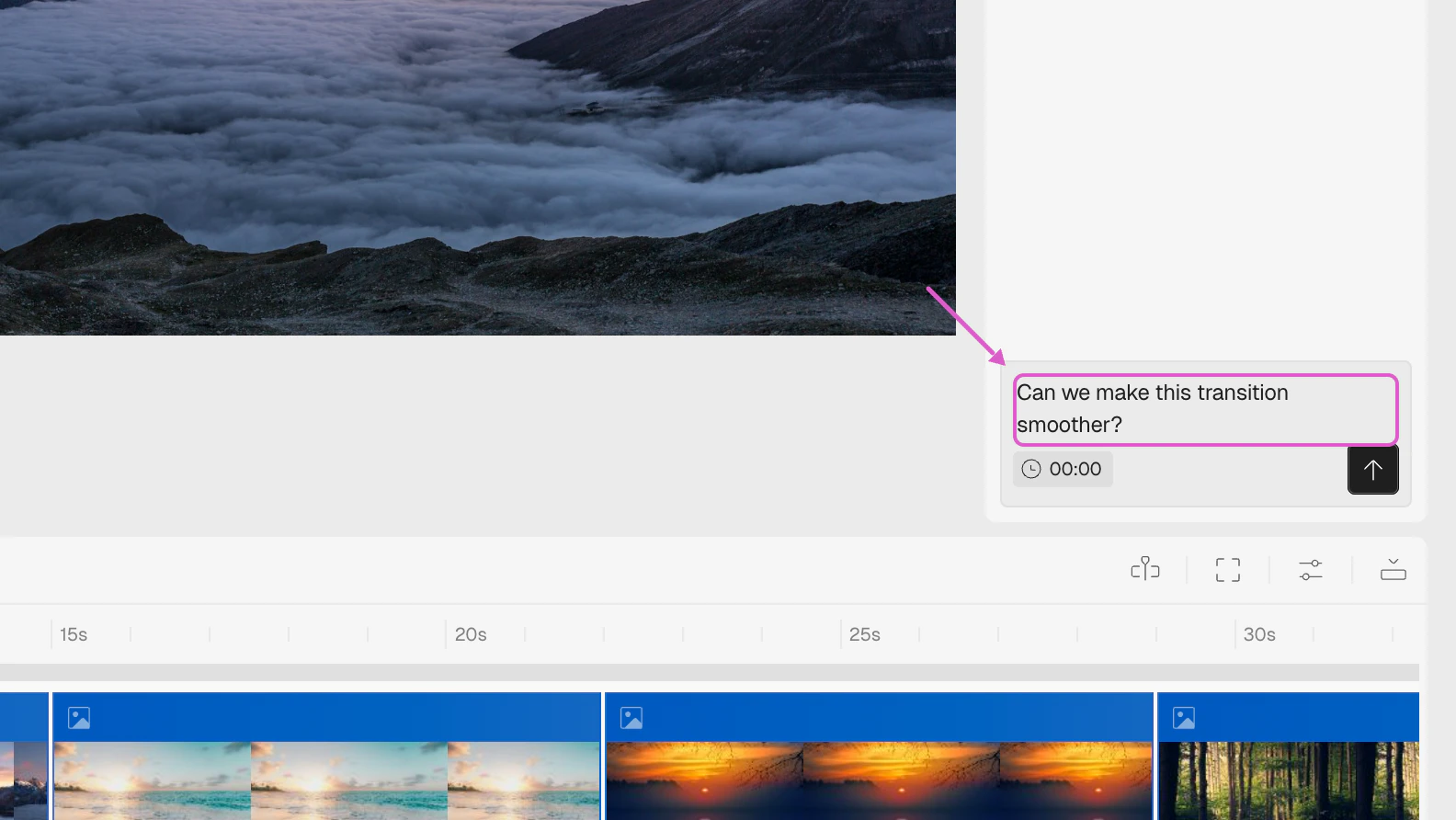
3
Include or remove the timestamp
The clock icon next to the input controls whether a timestamp is attached. When active, a timestamp badge shows the current playhead time. Click the clock to toggle it off if your feedback applies to the entire video instead of a specific moment.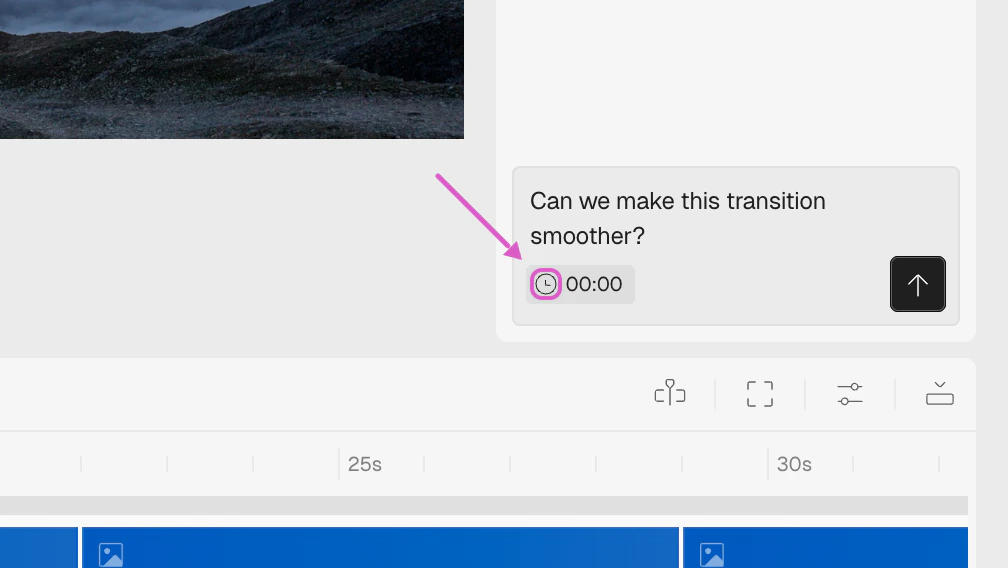
4
Mark an area on the canvas
To make feedback more visual, drag over a section of the canvas you want to highlight while adding a comment. A pin will appear on the canvas at that location, and the highlighted area will be shown when the comment is selected.
Viewing and Searching
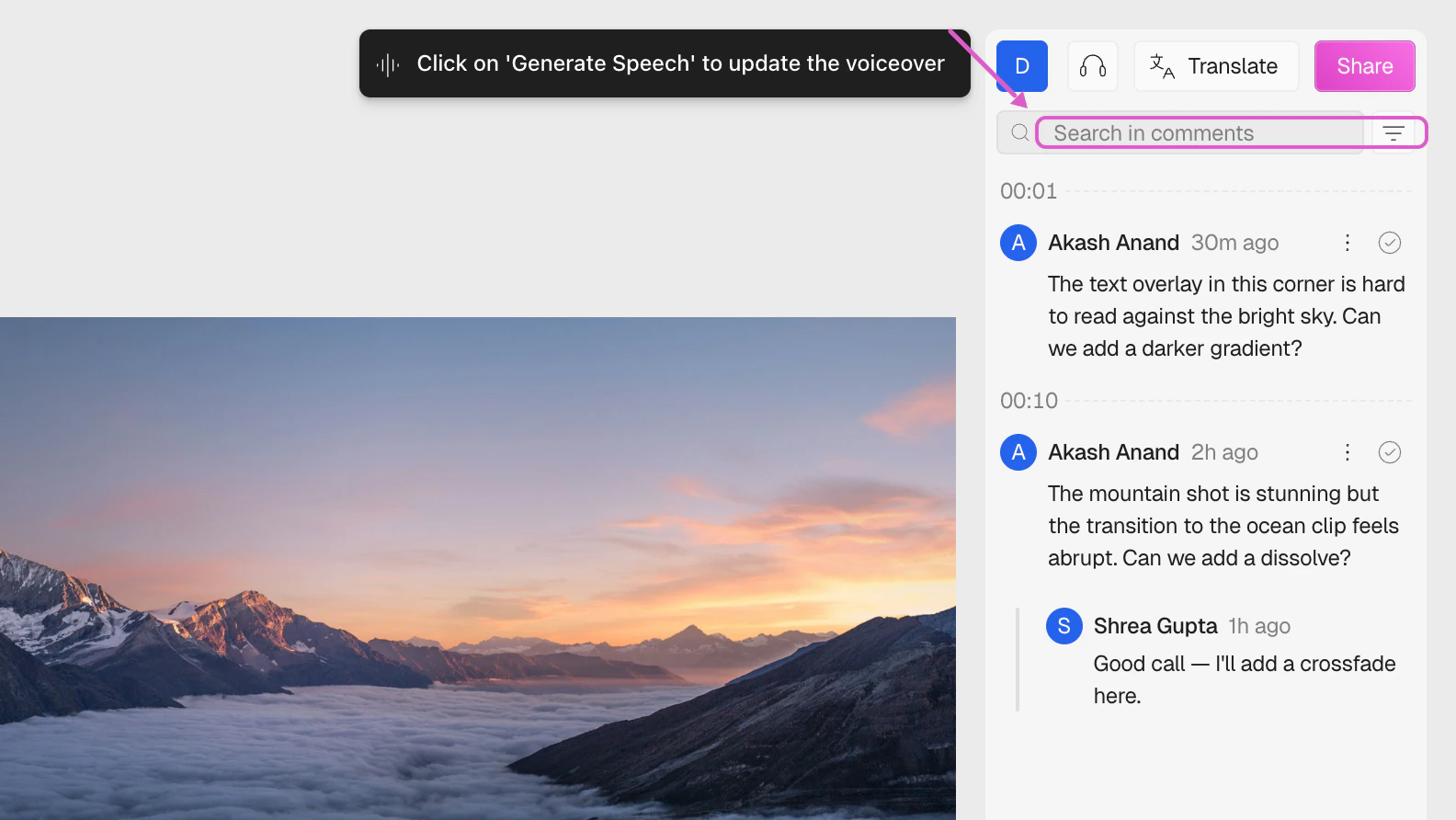
The Comments panel shows all feedback on the project. Each comment displays the author, timestamp, and time since posting.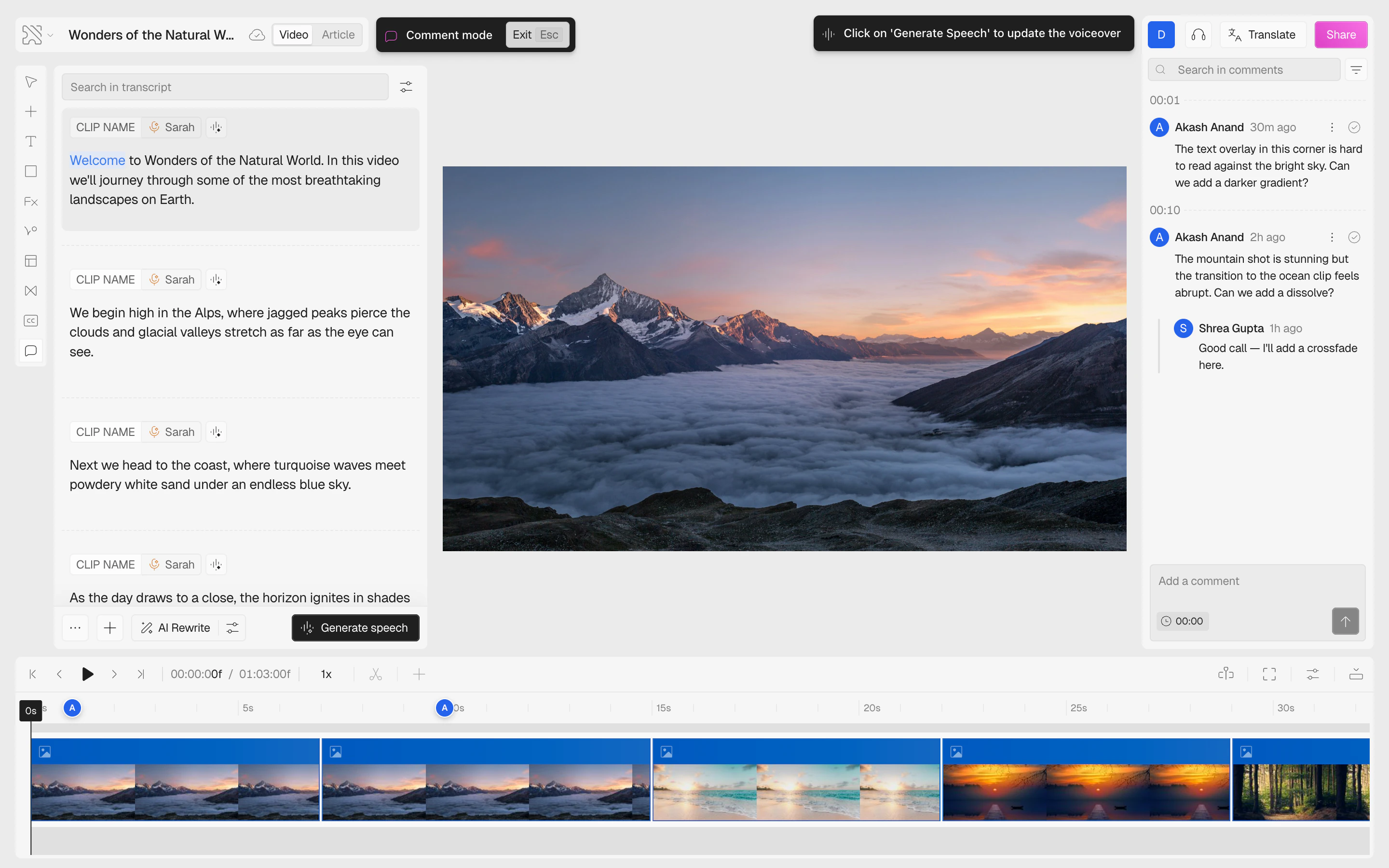
- Status filter — switch between All, Open, and Resolved comments
- Sort order — sort by timeline position (default), newest, or oldest
Replying and Resolving
- Reply — click the three-dot menu (⋮) on any comment and select Reply to start a threaded conversation. Replies appear indented below the parent comment.
- Resolve — click the checkmark icon on a comment to mark it as resolved. Resolved comments are dimmed and can be filtered out.
- Reopen — if someone replies to a resolved comment, it automatically reopens.
Editing and Deleting
You can manage your own comments via the three-dot menu (⋮):- Edit — update the comment text. Press Enter to save or Esc to cancel. Edited comments show an “(edited)” badge.
- Delete — permanently remove the comment.
Canvas Pins
Comments with a marked area appear as circular pins on the canvas:- Pins show the author’s avatar or initials
- Hover a pin to see the highlighted area; click to open the full thread
- Pins are visible when the video is paused at the comment’s timestamp (±0.5 seconds)
- Resolved comment pins appear faded
- Pins can be dragged to reposition them on the canvas