> ## Documentation Index
> Fetch the complete documentation index at: https://help.clueso.io/llms.txt
> Use this file to discover all available pages before exploring further.
# Use original audio
> Revert a clip back to its original recorded audio
This guide explains how to restore the original audio and script for a video clip in place of an AI-generated voiceover. It’s also useful if you want to revert the script back to its original version before you or AI made any edits.
**Note**: Choosing this option will also revert any edits made (by you or AI)
to the script for that clip.
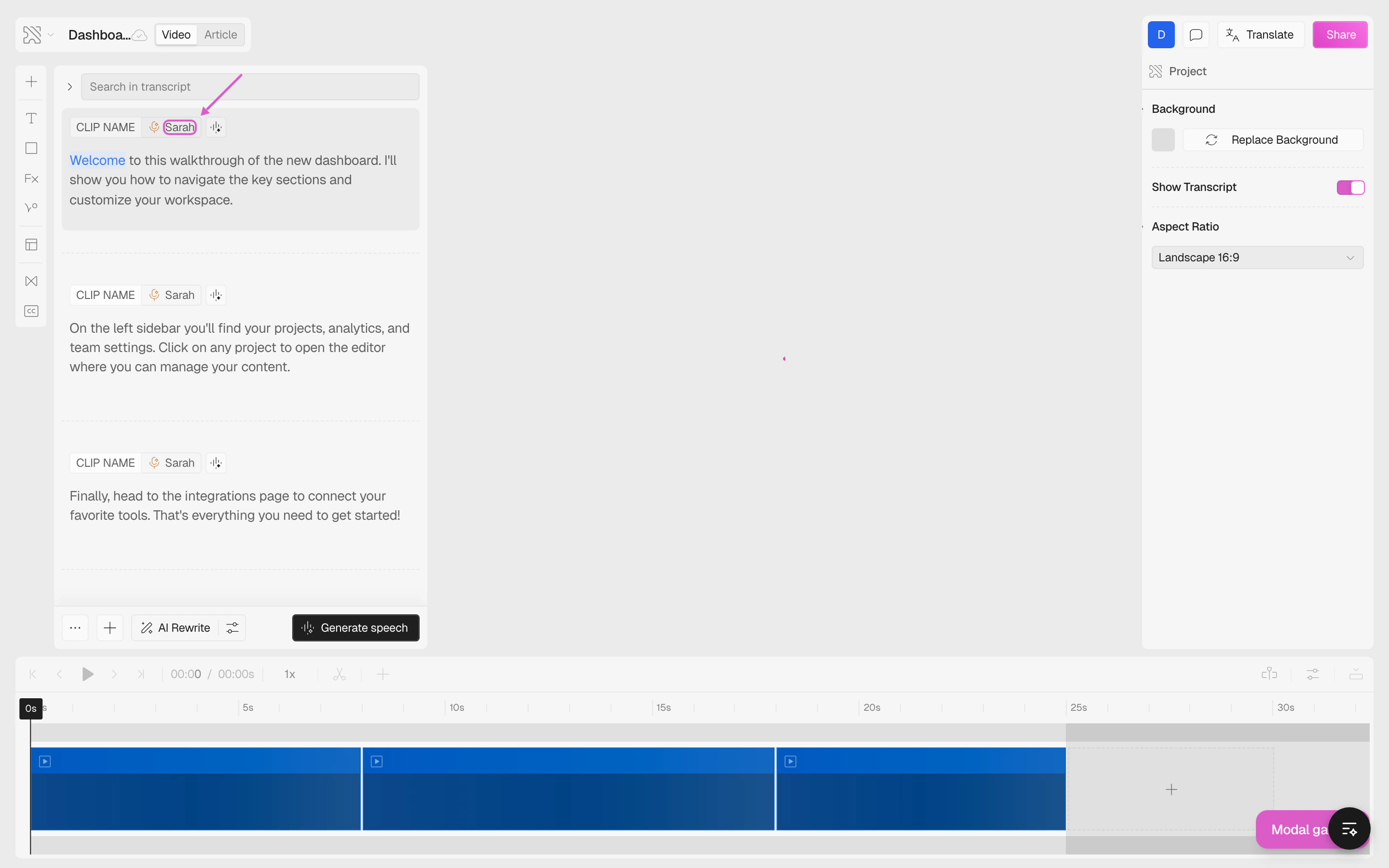
Click on the voice button on the video clip you wish to revert.
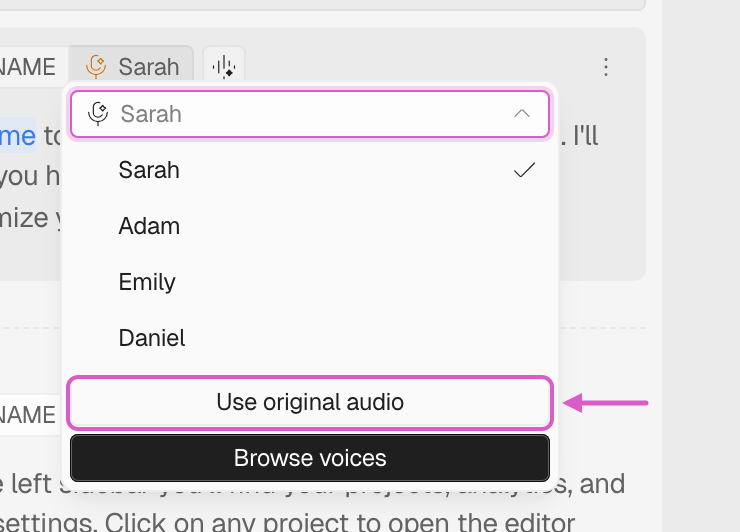
 From the options, select **Use original audio**.
 **Note:** The *Use original audio* button is only available for video clips.
You cannot use this option on slide clips since they are always created from
within Clueso without audio.
After completing these steps, Clueso will restore both the original script and the original audio for that clip, replacing any AI voiceover that was applied.
## FAQs
You can use the **Use original audio** feature by following the above steps.
Click voice name > then use original audio.
No, the *Use original audio* button is only available for video clips. You
cannot use this option on slide clips since they are always created from
within Clueso without audio.
**Note:** The *Use original audio* button is only available for video clips.
You cannot use this option on slide clips since they are always created from
within Clueso without audio.
After completing these steps, Clueso will restore both the original script and the original audio for that clip, replacing any AI voiceover that was applied.
## FAQs
You can use the **Use original audio** feature by following the above steps.
Click voice name > then use original audio.
No, the *Use original audio* button is only available for video clips. You
cannot use this option on slide clips since they are always created from
within Clueso without audio.