> ## Documentation Index
> Fetch the complete documentation index at: https://help.clueso.io/llms.txt
> Use this file to discover all available pages before exploring further.
# Translation glossary
> Control how terms are translated and instruct AI on how to translate your videos
The **Translation Glossary** in Clueso gives you full control over how certain terms are translated. It's perfect for keeping brand names consistent, avoiding incorrect translations, and fine-tuning the tone and grammar of your content across languages.
This guide walks you through setting up custom term translations, importing a glossary, and creating translation rules.
To begin, navigate to the [Settings > Translations](https://web.clueso.io/home/settings/translations)
## Adding Glossary Terms
Use glossary terms when you need specific words or phrases to always be translated a certain way — or not translated at all. This is ideal for brand names, product names, and technical terminology that must stay consistent across every translation.
To define a custom translation, click on the **Add Term** button.
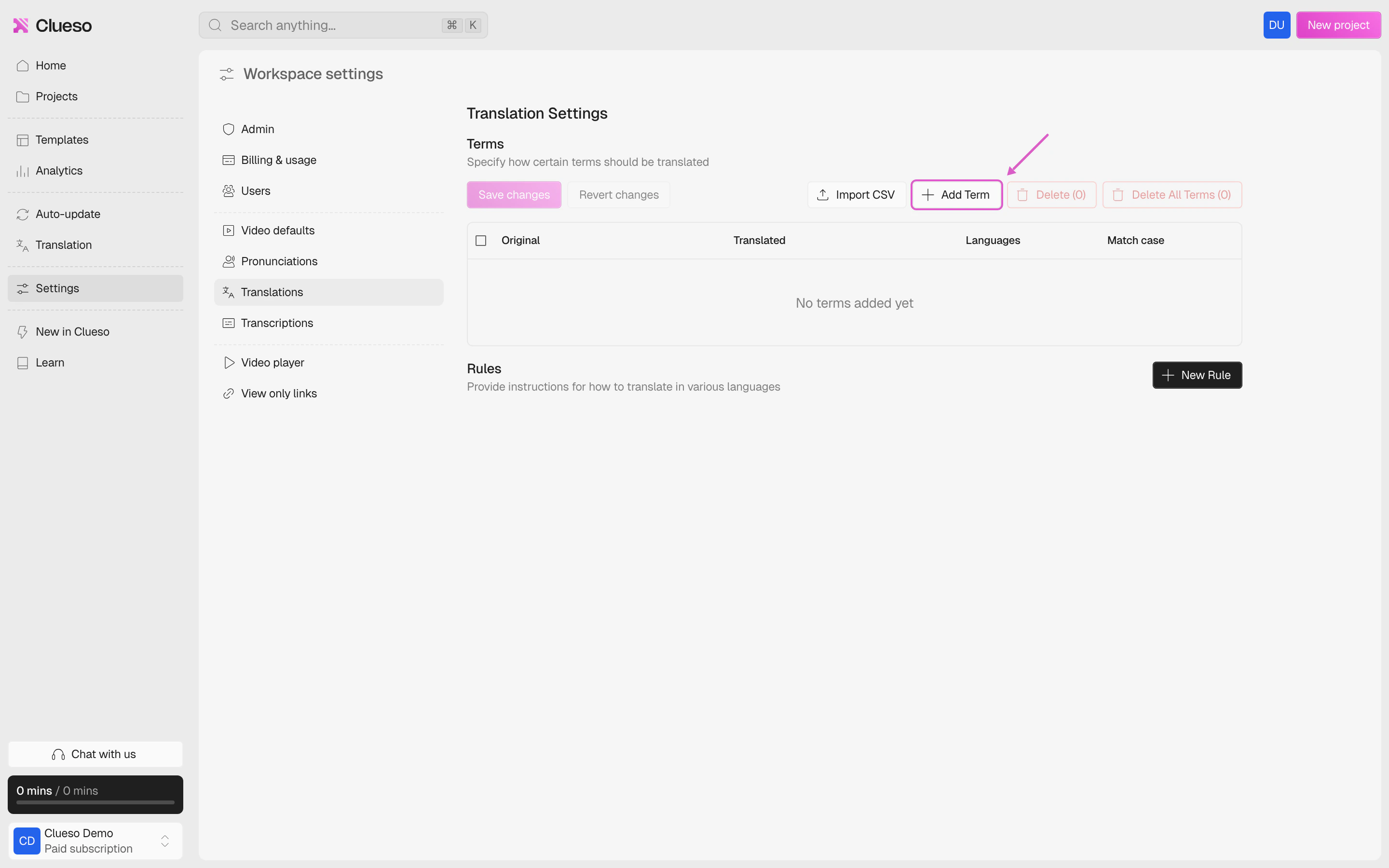 Type the original term and specify how it should be translated.
For instance, you might want the term "Help Center" to be translated as "Hilfe-Center" in German.
Type the original term and specify how it should be translated.
For instance, you might want the term "Help Center" to be translated as "Hilfe-Center" in German.
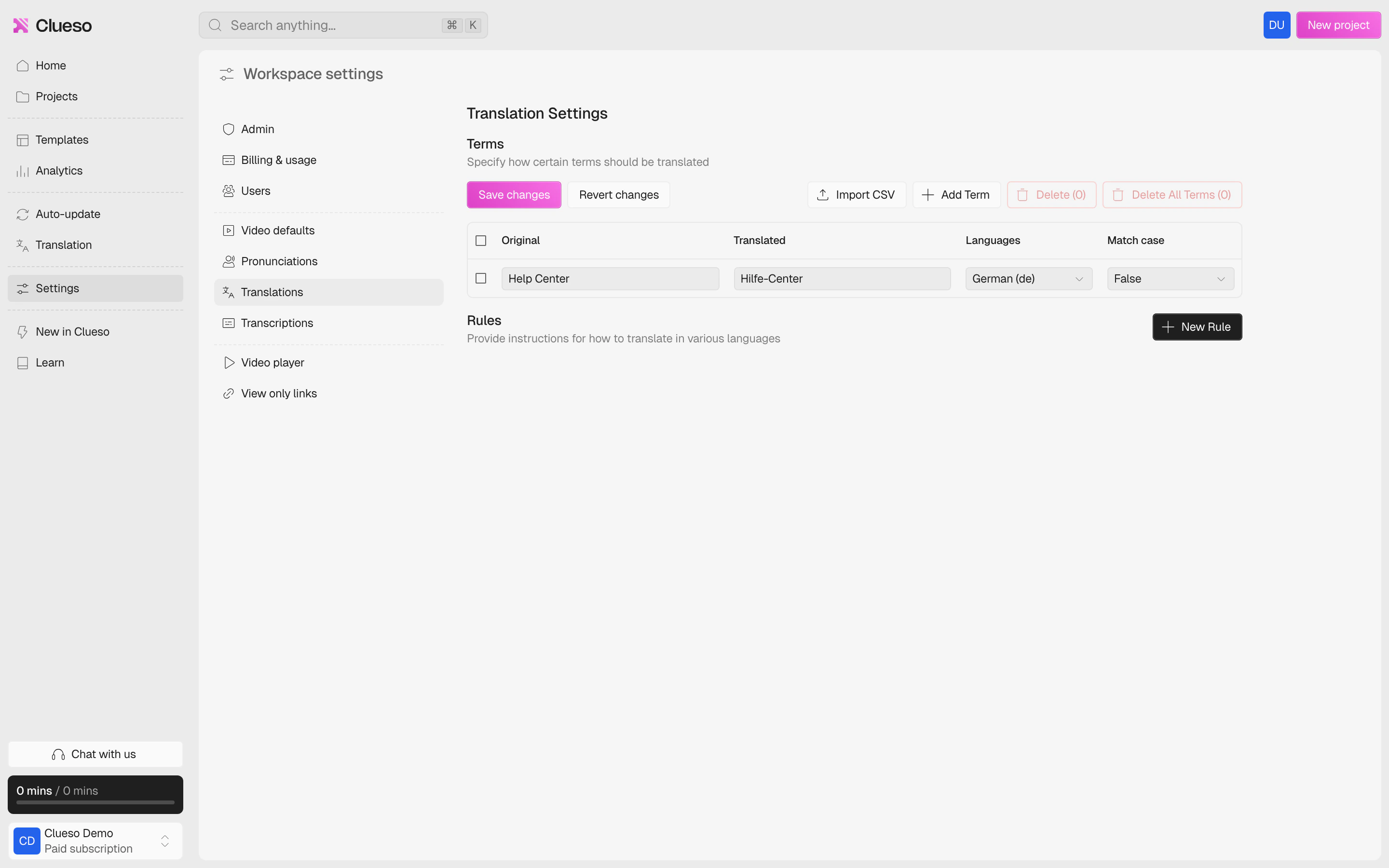 You can also add terms like your company name that **should not be translated**.
**Example**: If your company's name is "Acme Software Technologies" add it under both **Original** and **Translated** , set the language to **“any”**. This effectively marks this term as **non-translatable**.
Remember to save your changes.
You can also add terms like your company name that **should not be translated**.
**Example**: If your company's name is "Acme Software Technologies" add it under both **Original** and **Translated** , set the language to **“any”**. This effectively marks this term as **non-translatable**.
Remember to save your changes.
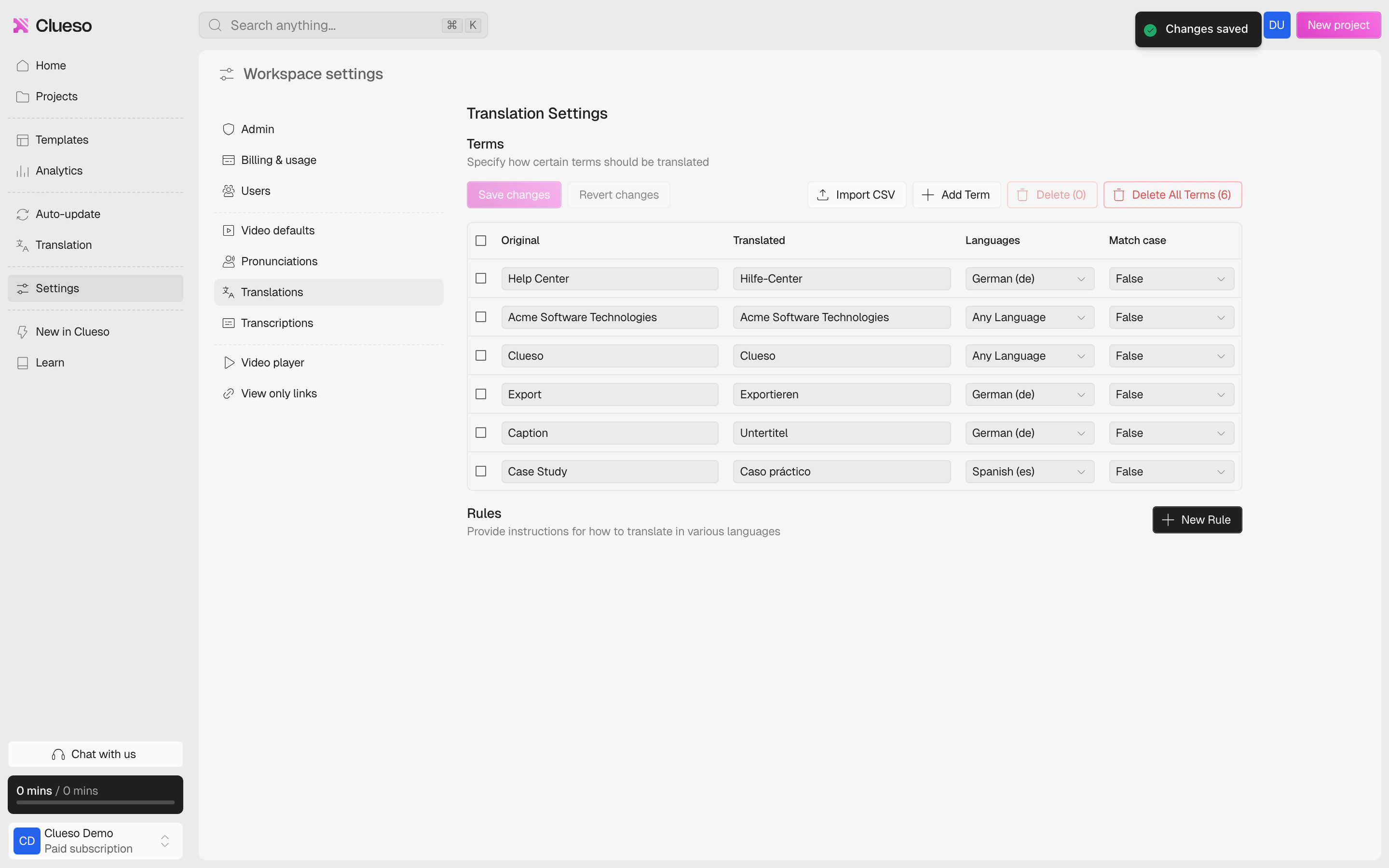 Already have a glossary file? You can upload it directly from the **Import CSV** button.
## Creating Translation Rules
Use translation rules when you need to control the overall tone, style, or grammar of translations for a specific language. Unlike glossary terms which handle individual words, rules give the AI broader instructions — such as using formal language, following industry-specific conventions, or matching your brand voice.
To add a translation rule, select **New Rule**.
Already have a glossary file? You can upload it directly from the **Import CSV** button.
## Creating Translation Rules
Use translation rules when you need to control the overall tone, style, or grammar of translations for a specific language. Unlike glossary terms which handle individual words, rules give the AI broader instructions — such as using formal language, following industry-specific conventions, or matching your brand voice.
To add a translation rule, select **New Rule**.
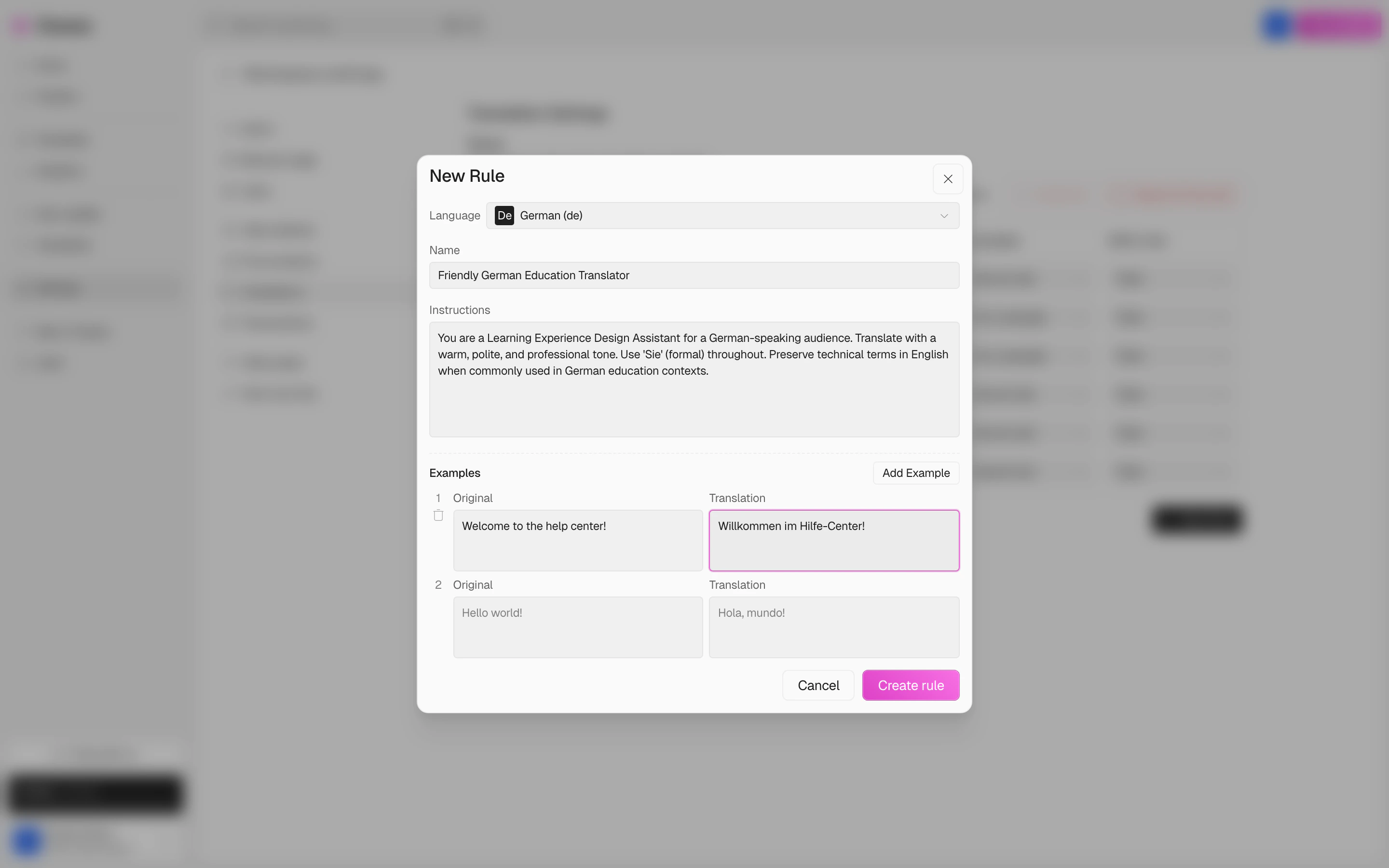
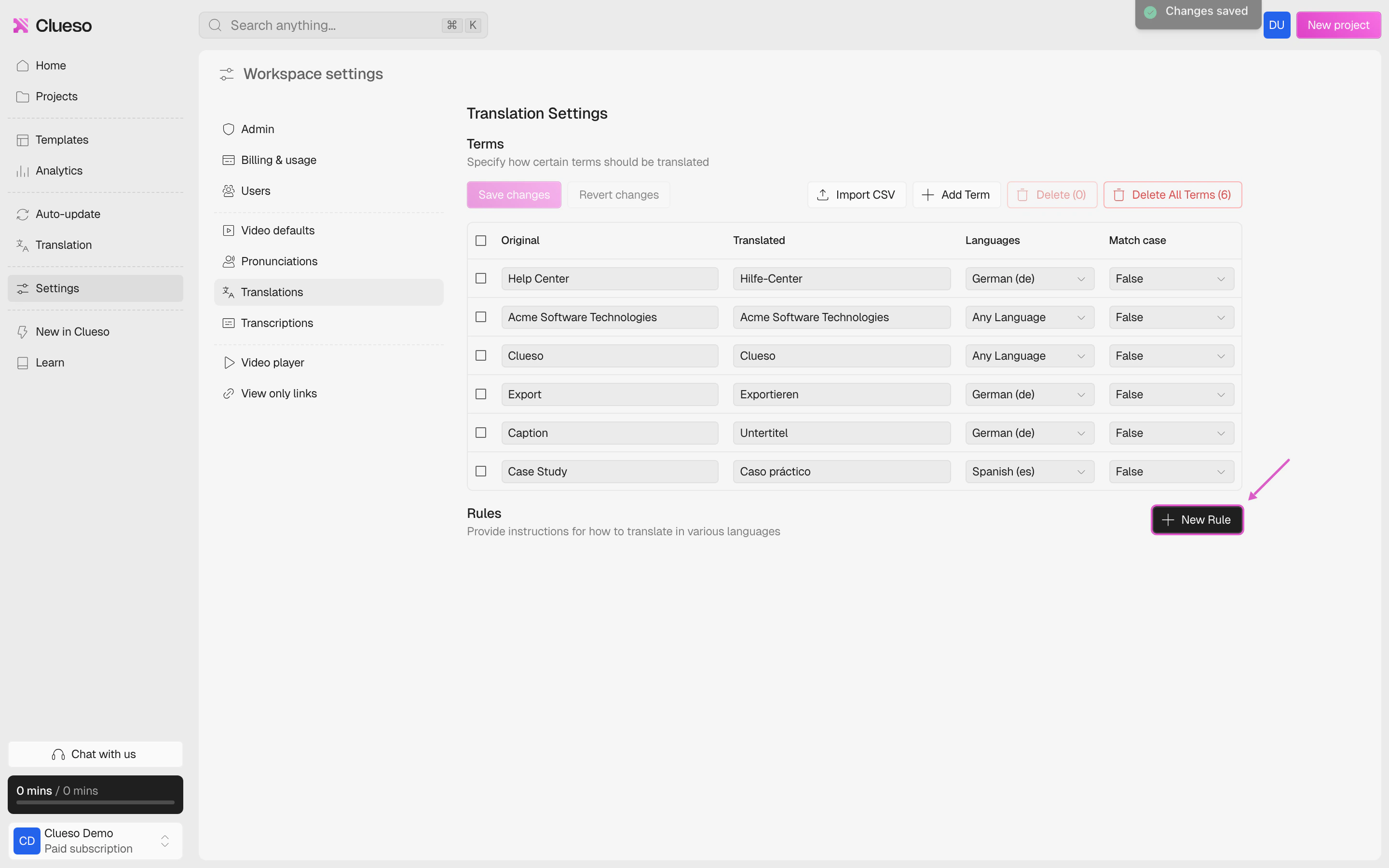 Now, follow these steps:
Set the language that this rule should apply to (e.g., **German**).
Give your rule a name. Pick something descriptive, like: **“Friendly German Education Translator”**
Write clear instructions to guide how translations should be handled. You can include tone guidance (e.g., polite, professional), grammar rules, or vocabulary preferences.
Providing example translations helps the AI understand the tone and structure you prefer.
Now, follow these steps:
Set the language that this rule should apply to (e.g., **German**).
Give your rule a name. Pick something descriptive, like: **“Friendly German Education Translator”**
Write clear instructions to guide how translations should be handled. You can include tone guidance (e.g., polite, professional), grammar rules, or vocabulary preferences.
Providing example translations helps the AI understand the tone and structure you prefer.
 Now, whenever you translate a video into your chosen language (like German), Clueso will follow:
* The glossary terms you've added
* The rules you've defined
This ensures your translations stay consistent, accurate, and aligned with your brand.
Now, whenever you translate a video into your chosen language (like German), Clueso will follow:
* The glossary terms you've added
* The rules you've defined
This ensures your translations stay consistent, accurate, and aligned with your brand.