> ## Documentation Index
> Fetch the complete documentation index at: https://help.clueso.io/llms.txt
> Use this file to discover all available pages before exploring further.
# Article copilot
> Use the article copilot to rephrase your article, edit screenshots and more.
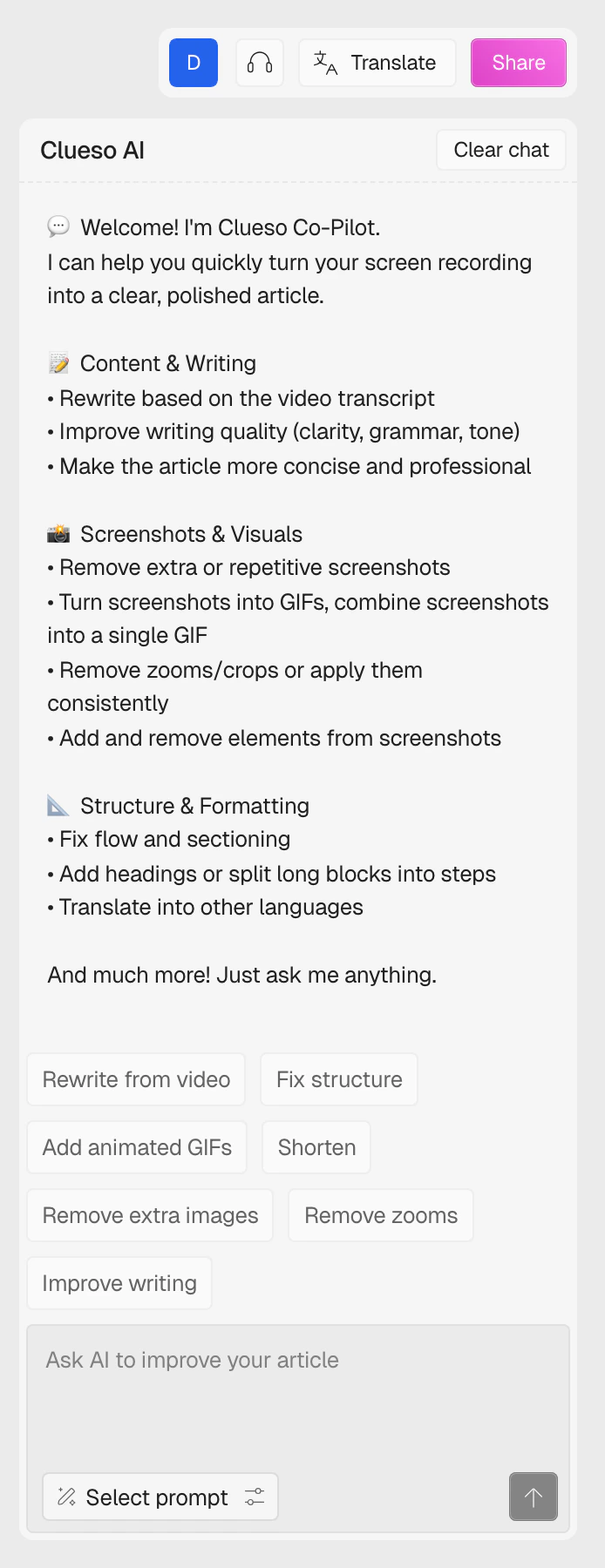
Clueso copilot provides direct support for chat-based questions, editing screenshots, and improving the clarity and structure of your articles. You'll find it in the right sidebar whenever you have the **Article** tab open.
 ## Quick chat support
Use Clueso copilot for real-time help with questions and information gathering. To start, enter your message or query in natural language in the chat box at the bottom of the panel. Clueso copilot processes your request and replies in the same conversation, whether you're looking for an explanation, summary, or document restructuring.
If something's unclear, continue the thread — Clueso copilot keeps track of context so follow-up questions flow naturally.
### Example uses
* Request summaries of long documents
* Clarify project steps or technical terms
* Ask how to improve the wording for a specific section
## One-click prompts
Above the chat input you'll see a row of suggestion pills. These are common edits packaged as one-click prompts — useful when you don't want to type out the full instruction.
## Quick chat support
Use Clueso copilot for real-time help with questions and information gathering. To start, enter your message or query in natural language in the chat box at the bottom of the panel. Clueso copilot processes your request and replies in the same conversation, whether you're looking for an explanation, summary, or document restructuring.
If something's unclear, continue the thread — Clueso copilot keeps track of context so follow-up questions flow naturally.
### Example uses
* Request summaries of long documents
* Clarify project steps or technical terms
* Ask how to improve the wording for a specific section
## One-click prompts
Above the chat input you'll see a row of suggestion pills. These are common edits packaged as one-click prompts — useful when you don't want to type out the full instruction.
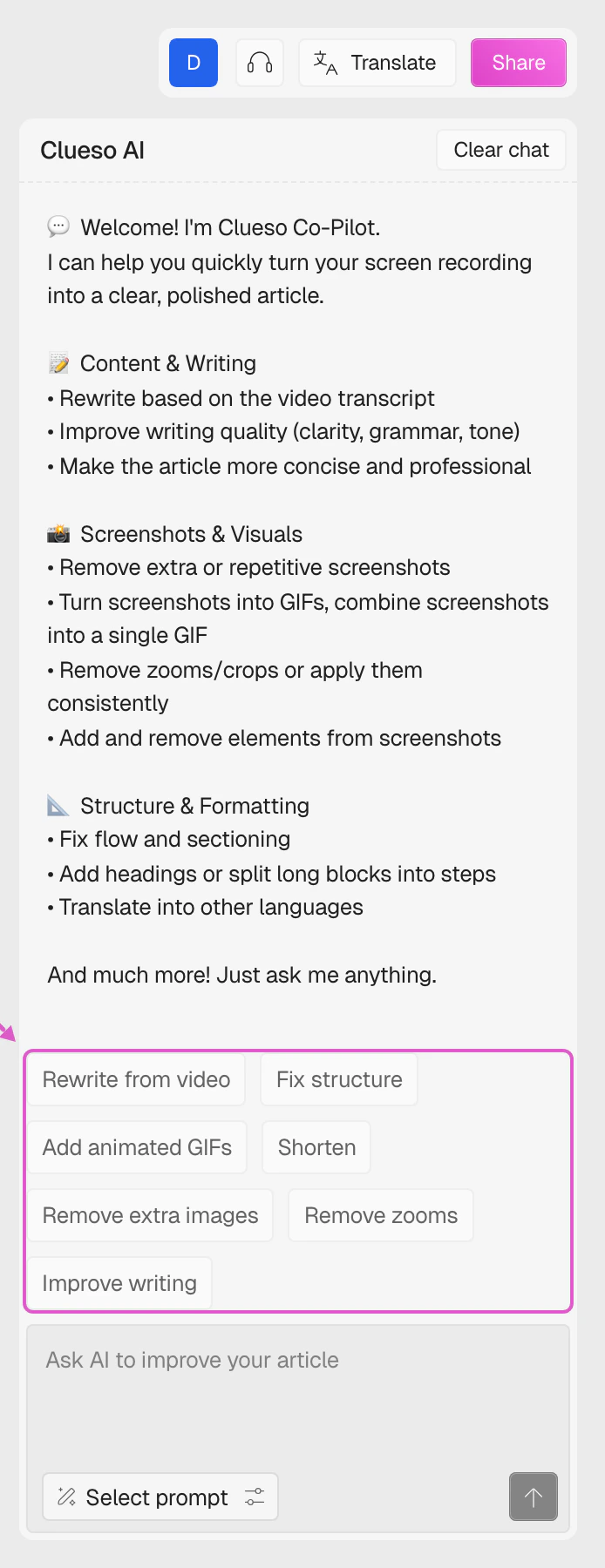 The available actions are:
* **Rewrite from video** — rewrites the article based on the current video transcript
* **Fix structure** — reorganises sections and improves the flow
* **Add animated GIFs** — turns key screenshots into GIFs
* **Shorten** — trims unnecessary detail while keeping the essentials
* **Remove extra images** — strips redundant screenshots
* **Remove zooms** — clears any zoom effects applied to screenshots
* **Improve writing** — fixes grammar and tightens the prose
Click any pill to load its prompt into the chat input — you can then edit it or send it as is.
## Screenshot editing
Clueso copilot can also edit screenshots directly from chat. Describe the change you want in plain language — for example, ask to blur confidential data, highlight key sections, or add annotations — and the copilot applies it inline.
### Example workflow
* Securely blur email addresses or personal info in a screenshot before sharing
* Highlight action buttons for tutorials and guides
* Mark up product interfaces to communicate a problem or suggestion
For best results, specify exactly what to blur, crop, annotate, or highlight.
## Formatting and rewriting
When text needs cleaning up or reorganising, type your instruction into the chat and the copilot will rewrite it in place.
The available actions are:
* **Rewrite from video** — rewrites the article based on the current video transcript
* **Fix structure** — reorganises sections and improves the flow
* **Add animated GIFs** — turns key screenshots into GIFs
* **Shorten** — trims unnecessary detail while keeping the essentials
* **Remove extra images** — strips redundant screenshots
* **Remove zooms** — clears any zoom effects applied to screenshots
* **Improve writing** — fixes grammar and tightens the prose
Click any pill to load its prompt into the chat input — you can then edit it or send it as is.
## Screenshot editing
Clueso copilot can also edit screenshots directly from chat. Describe the change you want in plain language — for example, ask to blur confidential data, highlight key sections, or add annotations — and the copilot applies it inline.
### Example workflow
* Securely blur email addresses or personal info in a screenshot before sharing
* Highlight action buttons for tutorials and guides
* Mark up product interfaces to communicate a problem or suggestion
For best results, specify exactly what to blur, crop, annotate, or highlight.
## Formatting and rewriting
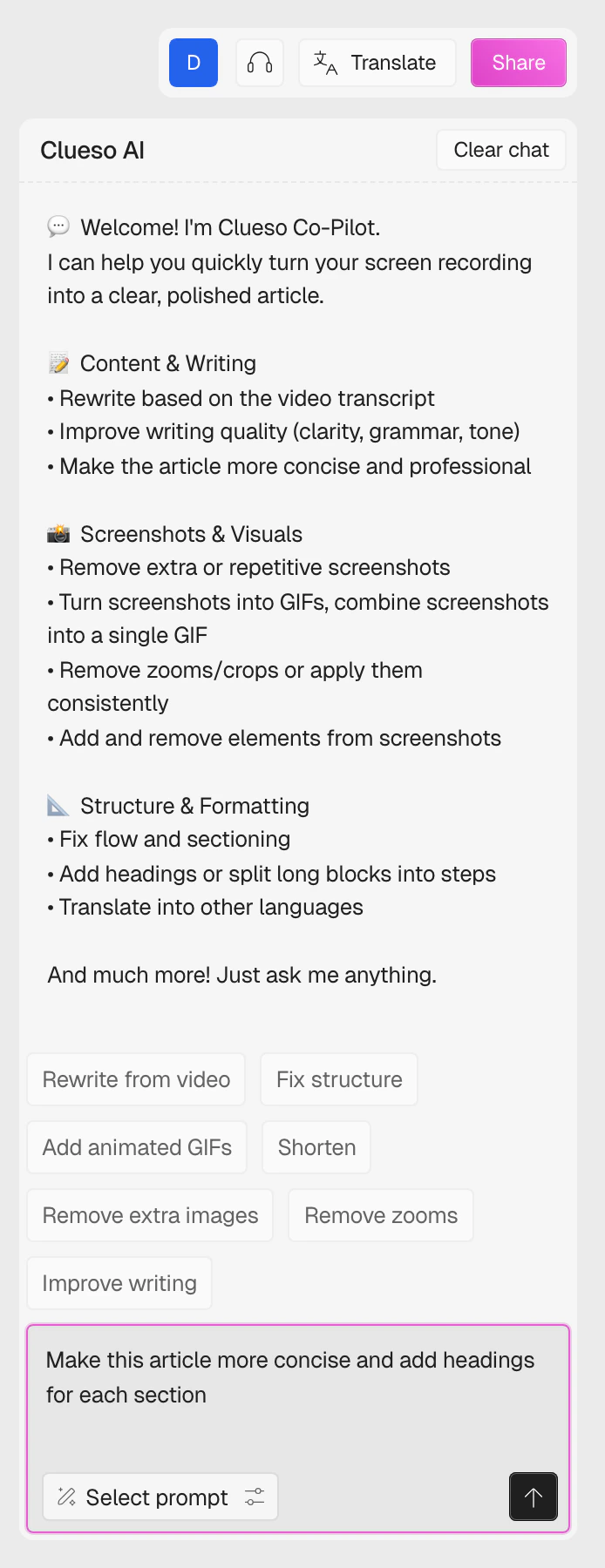
When text needs cleaning up or reorganising, type your instruction into the chat and the copilot will rewrite it in place.
 ### What copilot can do
* Add clarity with headings and bullet points
* Correct grammar and punctuation
* Rewrite sections for brevity or tone
* Summarise lengthy passages
## Tips for best results
* Be specific about what you want to achieve
* Provide context for better understanding
* Use follow-up questions to refine results
* Review outputs before finalising
### What copilot can do
* Add clarity with headings and bullet points
* Correct grammar and punctuation
* Rewrite sections for brevity or tone
* Summarise lengthy passages
## Tips for best results
* Be specific about what you want to achieve
* Provide context for better understanding
* Use follow-up questions to refine results
* Review outputs before finalising